Kategorie: Theming

  • Limit which menu/nav items appear based on user agent / device in WordPress

    # You could give those elements custom classes and then hide them based on device max-width. You can setup any number of rules like this and this is what is commonly known as a media query. It’s the basis for changing styles based on size.

    @media only screen and (max-width: 959px) {
        div.desktop-only {
        display:none;
        }
        }

    You can also set a range.

    @media only screen and (min-width: 768px) and (max-width: 959px) { /*code here*/ }
  • _s

    Working down Kerikeri’s functions.php

    # „On one instance of my site I want to set a max width for images not to overflow. Of course I want to retain image proportions. Images are of various sizes so I am unable to use fixed settings. The TimThumb script turned up in my searches but does not fit my needs as it does not have a maximum setting. Is there any plugin or hack out there that solves my problem?“ Add to the theme’s functions.php file:

    /*-----------------------------------------------------------------------------------*/
    /* Set the content width based on the theme's design and stylesheet.
    /*-----------------------------------------------------------------------------------*/
    
    if ( ! isset( $content_width ) )
    	$content_width = 612; /* pixels */

    # The $content_width is used for a lot of things, but essentially it’s meant to define the width of the „content“ area of your site. The content area being the space where the posts display. Images inserted into posts are auto-sized down (not up) to that width, so they won’t overflow. Note that this sizing happens at the time the post is created and the image is inserted into the post.

    /*-----------------------------------------------------------------------------------*/
    /* Sets up theme defaults and registers support for WordPress features. 
    /*-----------------------------------------------------------------------------------*/
    
    	// This theme uses post thumbnails
    	add_theme_support( 'post-thumbnails' );


    www.perun.net/2011/01/13/wordpress-artikelbilder-p…

  • Awesome Up Your WordPress Theme With Post Formats

    [# by Ian Stewart] This August I had the pleasure of speaking at WordCamp San Francisco on awesome-ing up WordPress themes with Post Formats. If you wanted to check out my presentation but weren’t there, or missed the livestream, have no fear! You too can check it out, right now, right here, thanks to the magic of WordPress.tv.

    [wpvideo mQYoMjUY]

    If you want to follow the along with the slides, you can do that too by downloading them right here.


    Awesome WordPress Themes Mentioned In My Talk:

    Of course, there are even more cool themes out there using Post Formats in awesome ways. And you’re going to be making some of them, right? I hope so. :)

  • Responsive Video/Audio aus einem Guss

    Ich möchte EINE Lösung, die

    1. In HTML5-Wordpress Audio und Video verwaltet (z.B. auch unter einer ID eine MP4- und eine OGG-Version)
    2. als Einzelfiles oder Playlists in Artikel und Seiten ausgibt
    3. auch mehrere Videos und Audios, auch gemixt in, ein und derselben Seite / einem Artikel handlen kann
    4. ein sauberes Flash-Fallback hat
    5. in allen Fällen sauber skaliert (besonders selbst- und fremdgehostetes Video of all flavours)

    Das scheint schwer. Hier der Stand der Suche:


  • 28 Free Responsive WordPress Themes

    28 Free Responsive WordPress Themes

    The use of tablets,mobile phones and similar devices has been increasing very fast in the last 2 years.People have many choices to browse the web which means that web design and development industry is in a period of transition.The reason of this transition is the responsive web design.Responsive web design is basically the concept of building a website that allows the layout adapt itself according to the device people are using.
    So when it comes to wordpress theme design,more and more responsive wordpress are being released nowadays.Well,of course almost all are premium but we can also find a few free responsive wordpress themes.In today’s post,we have gathered free responsive wordpress themes.Have a look at this great collection!!

    Designbeep | Ressources for Design & Development

  • Paths For Building WordPress Themes or Plugins

    (Quelle: computeraxe.com/paths-building-wordpress-themes-pl…) When tinkering with the code that runs WordPress it’s very important to get the correct path to a file. Of course it is or else the files can’t be found and your new functionality won’t work.

    According to the Codex

    In Version 2.6, users were given the ability to move their /wp-content/ directory to anywhere they want, and many users already keep all WordPress files (like /wp-admin/ and /wp-includes/) in an unusual place.

    In case you’ve moved the files for your WP installation, you probably have a good handle on paths and how to traverse them. For those who don’t, it can be a hair-pulling experience to find the right path. Once the right path is found, work can continue.

    WordPress Paths

    To help avoid those DUH! moments, here are some functions and constants that WordPress has defined regarding paths. Once you’re familiar with these functions, writing useful and working code should become easier. Optional parameters may be of use in modifying the output for several of the following templates, including $path, $file or $scheme.

    plugin_basename()
    Usage: plugin_basename(__FILE__); Returns: the name of the plugin and file, such as “myPlugin/myPlugin.php”
    get_theme_root()
    Usage: get_theme_root(); Returns: path to themes directory. No trailing slash.
    get_theme_root_uri()
    Usage: get_theme_root_uri(); Returns: URI for themes directory. No trailing slash.
    get_theme_roots()
    Usage: get_theme_roots(); Returns: Themes directory with a leading slash, like “/themes”.
    site_url()
    Usage: site_url(); Returns: Site directory with no trailing slash.

    www.site.com OR www.site.com/wordpress

    admin_url()
    Usage: admin_url(); Returns: Admin directory with trailing slash.

    www.site.com/wp-admin/

    content_url()
    Usage: content_url(); Returns: Content directory with trailing slash.

    www.site.com/wp-content/

    plugins_url()
    Usage: plugins_url(); Returns: Plugins directory with trailing slash.

    www.site.com/wp-content/plugins/

    includes_url()
    Usage: includes_url(); Returns: Includes directory with trailing slash.

    www.site.com/wp-includes/

    home_url()
    Usage: home_url(); Returns: Home directory with no trailing slash.

    www.site.com

    ABSPATH (constant)
    Usage: ABSPATH. Returns: Home directory with no trailing slash.
    TEMPLATEPATH (constant)
    Usage: TEMPLATEPATH. Returns: Path to current theme with no trailing slash.

    There are a few more functions for multisite installations and backwards capability specified in the Codex.

    PHP Paths

    Some PHP functions worth noting –

    • __FILE__ returns the filename of the script that is currently being run
    • dirname() returns parent directory’s path for a given filename with no trailing slash
    • basename() returns the filename component of path without any parent directories
    • getcwd() returns current working directory

    Use the functions or constants indicated to build your paths instead of hard-coding them. You’ll save yourself a LOT of trouble when it comes time to move your WordPress installation to a new server or directory.

  • Delight-Login-Logo

    Das wird in themes>delight>functions>lib -> pix_functions.php in Zeile 18 ff. injiziert. Dort auskommentieren und eigenes Logindesign über functions.php injizieren.

  • Custom Post Types

    [Browsershot url=“http://www.vooshthemes.com/blog/wordpress-tip/create-a-professional-portfolio-using-wordpress-3-0-custom-post-types/“ width=“620″]

  • Drag And Drop WordPress Design

    [Browsershot url=“http://headwaythemes.com/“ width=“620″]

  • Fullscreen-Problem bei Bildhintergründen auf dem iPhone (Safari Mobile)

    Kurzer Dialog zwischen mir und dem Entwickler des „Delight“-Wordpress-Themes:

    Q: I would appreciate help on the following issue though: I have an iPhone problem with longer articles: in case I have to scroll down a page on an iPhone (mobile Safari) the background image does not rescale full screen. The image instead first scrolls up (though fixed) and then comes jumping down but not doing a resize which thus leaves a blank space at the bottom of the page (showing the general site backgound as specified in the Delight admin panel). Thanks for your ideas!

    A: As far as I know there’s no way to have a fixed wide bg on the iPhone because the iPhone calculated as page the address bar too. So the empty space you see at the bottom is the same of the address bar. I’m trying to fix this problem since a couple of weeks, but I’m not sure there’s a solution. iOS5 (available in fall) should fix the problem of the position fixed, but in the meanwhile I will keep on work.

  • Childtheme modifizieren

    Beim Einsatz von Frameworks benutzt und variiert man manchmal Childthemes, die jemand anderes gemacht hat. Oft funktioniert es gar nicht, Child-Childthemes zu machen – aber man kann auch Childthemes trotzdem einen kleinen Rucksack CSSen, PHP-Skripte etc. mitgeben, ohne im Theme-Ordner romzuhoolen. Das ist praktisch, da auch Autoren beispielsweise von Thematic-Childthemes ihre Themes gern mal updaten.

    Ich lege im geschilderten Fall im Theme-Ordner einen neuen Ordner mit dem Namen „<themename>-adds“ (etwa neutica-adds) an und da kommt, wie bei Childthemes, eine eigene style.css und eine functins.php rein sowie ggf. ein Bilderordner, falls die zusätzlichen Deklarationen eigene Bilder einsetzen. Anders als bei „normalen Childthemes“ muß dem Childtheme, auf das aufgesetzt wird Bescheid gesagt werden, dass im übgergeordneten Ordner noch spezielle Anweisungen warten: in die Childtheme-CSS schreibt man

    @import url('../themename-adds/style.css');

    und der Childtheme-functions.php gibt man Folgendes mit:

    include( dirname(__FILE__)  . '/../themename-adds/functions.php');

    Beide „Impfungen“ muss man, auch das unterscheidet die Aktion von „normalen“ Childthemes, nach Childtheme-Updates wiederholen. Außerdem sollte man vorbereitet sein, in der Child-Childtheme-CSS gegebenenfalls recht oft mit der „ich-will-aber-trotzdem“-Auszeichnung !important arbeiten zu müssen.
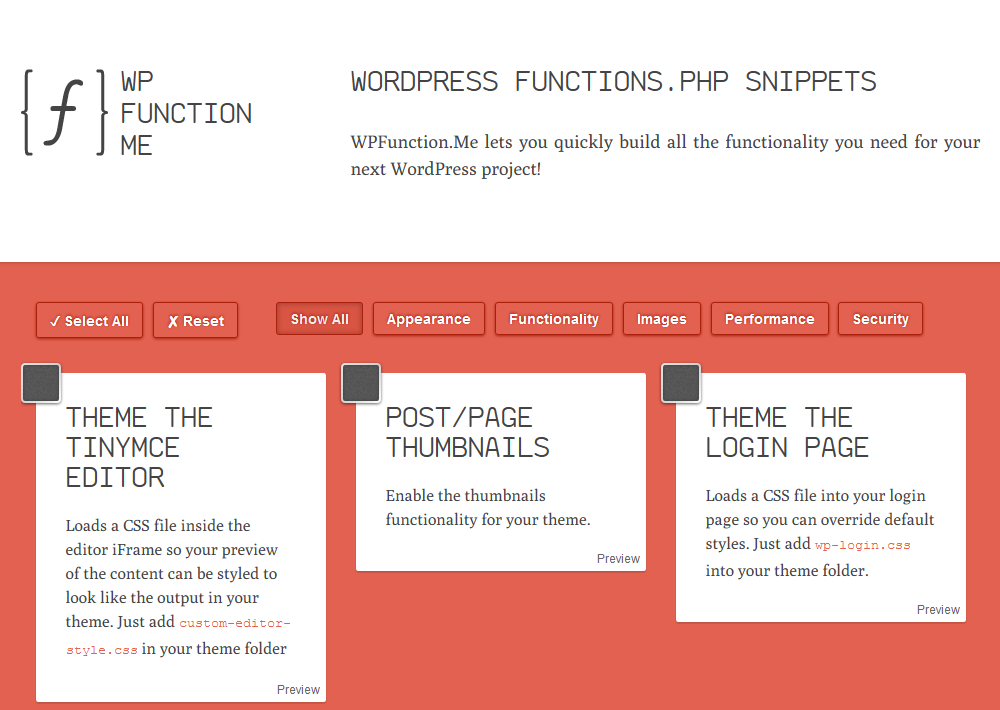
  • Thematicmondo

    [Browsershot url=“http://thematicmondo.com/“ width=“620″]

  • Showtime

    [Browsershot url=“http://www.showtimedesigner.com/01/2011/wordpress/helpful-thematic-functions-to-customize-your-wordpress-site“ width=“620″]

  • Thematic Menus Demystified

    [Browsershot url=“http://themeshaper.com/forums/topic/thematic-menus-demystified-1″ width=“620″]

  • Making A Dynamic WordPress jQuery Featured Post Slider Tutorial

    [browsershot url=“http://new2wp.com/pro/part-3-making-a-dynamic-wordpress-jquery-featured-post-slider-tutorial-finale/“ width=“620px“]

    [browsershot url=“http://webdeveloperplus.com/jquery/featured-content-slider-using-jquery-ui/“ width=“620px“]

    Tipp von hier: themeshaper.com/forums/topic/adding-feature-slider…

  • Grid Based WordPress

    [browsershot url=“http://speckyboy.com/2010/07/21/30-grid-based-wordpress-themes/“ width=“620px“]